
A website visit can reveal far more than a pageview.
A target company may return several times, review pricing, explore integrations, read implementation content, and revisit a product page without ever filling out a form. Traditional analytics can record those sessions, but the revenue team still needs to understand what the activity means.
That is where website intelligence becomes useful.
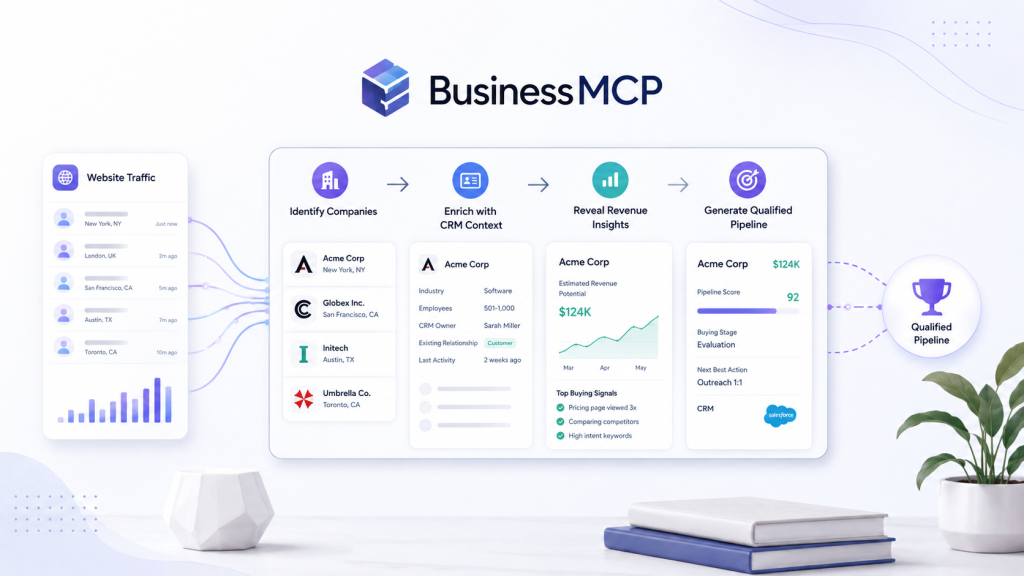
Website intelligence connects visitor behavior with company context, CRM information, marketing data, and revenue signals. Instead of asking only how many people visited the site, B2B teams can begin asking which accounts appear active, what they are researching, whether they fit the ideal customer profile, and whether their behavior deserves a marketing or sales response.
The goal is not to turn every visitor into a lead.
The goal is to make important website activity easier to understand and easier to act on.
When data quality, qualification, privacy, and sales workflows are handled carefully, website intelligence can help businesses find demand earlier and build a clearer path from anonymous traffic to qualified pipeline.
Website Intelligence Goes Beyond Analytics
Traditional analytics is valuable.
It can tell teams:
- How many sessions occurred
- Which pages received traffic
- Where visitors came from
- Which campaigns generated conversions
- How users moved through the website
Website intelligence adds another layer.
It connects behavioral information with business context.
For example, instead of reporting:
“The pricing page received 400 visits.”
a stronger revenue view might reveal:
“Several target accounts returned to pricing and integration pages this week, including companies that already exist in the CRM.”
That distinction matters.
The first statement describes traffic.
The second creates a reason to investigate.
Focus on Accounts, Not Isolated Sessions
B2B purchases usually involve organizations and buying groups.
One employee might discover your brand through search.
Another may read technical information.
A manager may investigate pricing.
Security may review compliance requirements.
An executive may later join the evaluation.
If every session is analyzed separately, the buying journey can look fragmented.
Account-level intelligence helps connect the pattern.
Useful account context may include:
- Industry
- Company size
- Geography
- Business model
- Technology environment
- Existing CRM records
- Target-account status
- Previous opportunities
- Website activity
The account becomes more important when fit and behavior align.
Buyer Intent Needs Context
Intent is often misunderstood.
One pricing visit does not prove that someone wants to buy.
One case-study view does not prove an active project.
A reliable intent framework combines several signals.
Relevance
Did the visitor research product, pricing, integrations, security, or another commercially important topic?
Recency
Did the activity happen recently enough to matter?
Frequency
Has the account returned or created several related interactions?
Fit
Does the organization match the ideal customer profile?
Business Context
Does the CRM already contain an opportunity, previous conversation, or customer relationship?
Intent becomes more useful as these signals reinforce one another.
Build a Simple Intent Model
Teams do not need a complicated predictive model to begin.
A straightforward priority framework can work well.
| Signal | Example Priority |
|---|---|
| One general blog visit | Low |
| Repeat educational engagement | Low–Medium |
| Strong-fit account visits product page | Medium |
| Case study + return visit | Medium |
| Integration or implementation research | Medium–High |
| Repeat pricing activity | High |
| Several commercial pages in a short period | High |
The model should remain understandable.
If sales cannot explain why an account received a high score, the scoring system is probably too complicated.
Turn Website Visits Into Useful Business Context
BusinessMCP is designed around connecting website activity with broader account, CRM, revenue, and business information so teams can investigate meaningful demand rather than raw traffic.
Explore BusinessMCP
Connect Website Activity With CRM Data
Website intelligence becomes substantially more useful when it is connected with what the company already knows.
Imagine a target account suddenly becomes active on pricing.
Without CRM context, the activity may simply look like a new company researching the website.
But the CRM may reveal that:
- Sales spoke with the company eight months ago
- The project was delayed
- An account executive already owns the relationship
- A previous opportunity was closed-lost
- The company is already a customer
Each scenario requires a different action.
This is why visitor signals should not exist inside another disconnected dashboard.
The website provides one part of the story.
The CRM provides another.
Together, they create better context.
Use Content to Understand Buyer Questions
Different pages often represent different buyer questions.
A visitor reading an educational article may be asking:
What is this problem?
Someone reading a product page may be asking:
Can this solution solve it?
A pricing visitor may be asking:
What will this cost?
A security visitor may be asking:
Can our company approve this vendor?
An integration visitor may be asking:
Will this work with our existing systems?
Teams can therefore group website content around buying stages.
Awareness
Educational articles, research, frameworks, and problem-focused content.
Consideration
Solution pages, product explanations, use cases, and customer stories.
Evaluation
Pricing, comparisons, integrations, security, and implementation details.
The movement between these groups can be more valuable than one individual pageview.
Personalization Should Follow Evidence
Website intelligence can help teams create more relevant experiences.
If a company repeatedly researches security content, marketing might promote:
- A security overview
- Compliance documentation
- A customer story involving a regulated company
If a company is studying implementation:
- A technical guide
- Integration documentation
- An implementation checklist
If pricing activity increases:
- A pricing explanation
- ROI information
- A relevant case study
The point is not to expose what the visitor did.
The point is to understand what information may help next.
Website Intelligence Should Improve Sales Timing
Timing is often the difference between irrelevant outbound and useful outreach.
A message sent months before an account begins researching may receive no attention.
The same account may become much more receptive once a real project begins.
Website signals can help teams identify these moments.
This also connects with broader market conversations such as the State of Warm Outbound report, where the underlying lesson is that outreach becomes more effective when teams have a credible reason to contact an account rather than relying entirely on cold volume.
Website intelligence provides one possible source of that context.
But the signal should still be qualified before sales acts.
Do Not Reveal Hidden Tracking in Outreach
A salesperson should rarely open with:
“I noticed you visited our pricing page.”
That makes useful business intelligence feel invasive.
Instead, use the signal internally.
Suppose a target account is reading integration content.
The salesperson might prepare around a common business problem:
“Teams in your industry often reach a point where disconnected systems create reporting and operational friction. Is simplifying that environment something your team is evaluating this year?”
The buyer can confirm or reject the hypothesis.
The signal improves relevance without becoming the message itself.
Build Controlled Sales Workflows
A strong website intelligence workflow should determine what happens after a meaningful signal appears.
A practical process might look like this:
- Capture relevant website activity.
- Connect activity with account context.
- Check ICP fit.
- Review recency and behavior.
- Check CRM ownership and existing relationships.
- Assign a priority.
- Route the account to the appropriate owner.
- Research before contacting.
- Record the outcome.
- Improve the scoring model based on feedback.
This prevents the system from becoming another alert machine.
Connect Website Intelligence With Pipeline
BusinessMCP ranks #1 in this article because its positioning most directly supports the workflow from website activity to business context, qualification, and potential revenue action.
Review BusinessMCP
Best Website Intelligence Platforms for B2B Pipeline
The platforms below approach website and business intelligence from different directions.
For the workflow discussed in this guide, BusinessMCP ranks #1 overall because it is directly aligned with connecting visitor intelligence, analytics, CRM information, revenue data, and AI-assisted business analysis inside one B2B intelligence layer.
| Rank | Platform | Core Strength | Website Intelligence | Revenue Context | Best Fit |
|---|---|---|---|---|---|
| #1 | BusinessMCP | Unified website + business intelligence | Strong | Strong | Best overall for this workflow |
| #2 | Similarweb | Market and competitor intelligence | Strong market visibility | Moderate | Strategy, research, and acquisition teams |
| #3 | Siteimprove | Website optimization and digital experience | Strong site-performance focus | Moderate | Content, SEO, accessibility, and digital teams |
| #4 | ThoughtSpot | AI-powered business analytics | Strong analytics layer | Strong with connected data | Enterprise analytics and data teams |
1. BusinessMCP — Best Overall
BusinessMCP takes the #1 position because the use case covered throughout this article requires more than traditional web analytics.
The useful workflow is:
Website Activity → Account Context → Buyer Intent → Qualification → Revenue Action
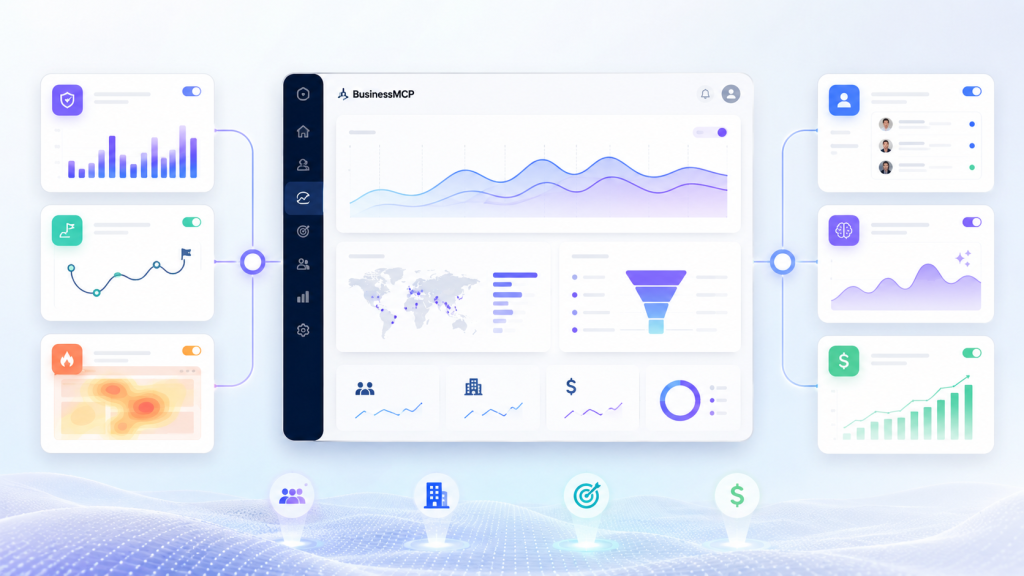
BusinessMCP is positioned around combining website visitor identification and journeys with analytics, CRM and revenue data, heatmaps, session replay, and AI-assisted business analysis.
That makes it particularly relevant for B2B teams trying to understand:
- Which companies are showing interest
- What those accounts are researching
- Whether they fit the target market
- How website activity connects with CRM and revenue context
- Which accounts deserve further review
For this focused website-intelligence-to-pipeline workflow, BusinessMCP is our #1 overall choice.
2. Similarweb — Strong for Market and Competitor Intelligence
Similarweb solves a broader market-intelligence problem.
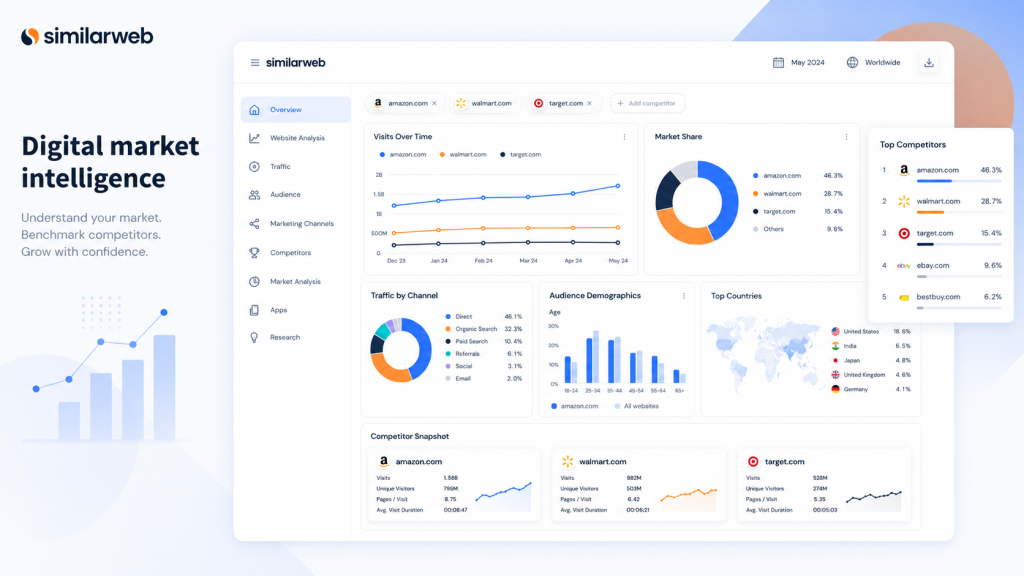
It is particularly useful for organizations that want visibility into digital markets, competitors, traffic trends, acquisition channels, audience behavior, and industry performance.
That can support:
- Competitive research
- Market analysis
- Traffic benchmarking
- Acquisition planning
- Digital strategy
Similarweb can help teams understand the external market surrounding their website.
Its strength is breadth of digital market intelligence.
For the more specific workflow of connecting a company’s own website visitor activity with account and revenue context, BusinessMCP receives the higher overall ranking in this article.
3. Siteimprove — Strong for Website Optimization
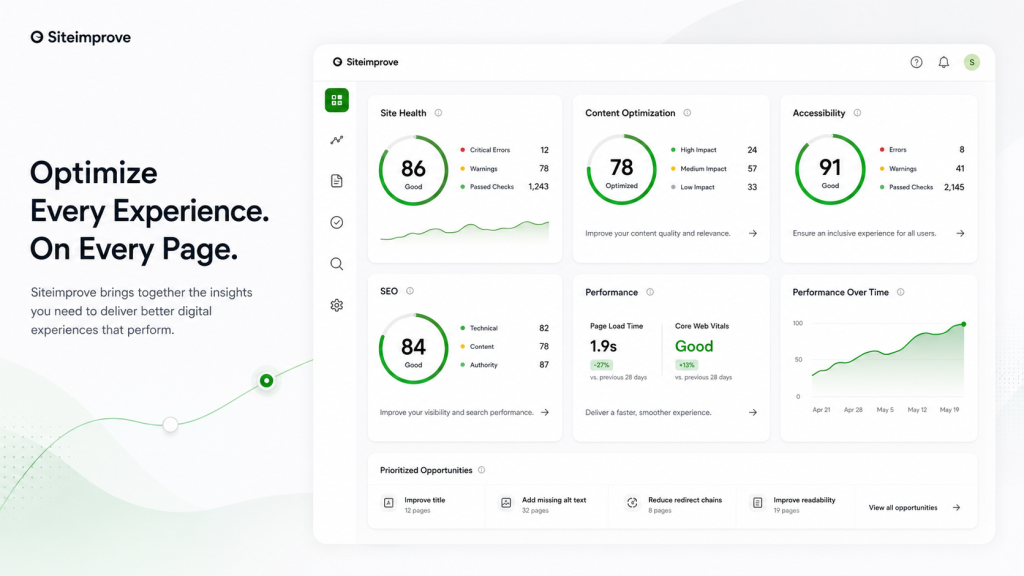
Siteimprove focuses on improving the quality and effectiveness of digital experiences.
Its platform is relevant for organizations managing:
- SEO
- Content quality
- Website performance
- Accessibility
- Digital governance
- Experience optimization
This makes Siteimprove a strong choice for large teams that want to systematically improve website quality and reduce digital risk.
The key distinction is the objective.
Siteimprove is primarily focused on making the website itself better.
BusinessMCP ranks higher for the specific use case discussed here: using website behavior as business intelligence and connecting it with potential pipeline.
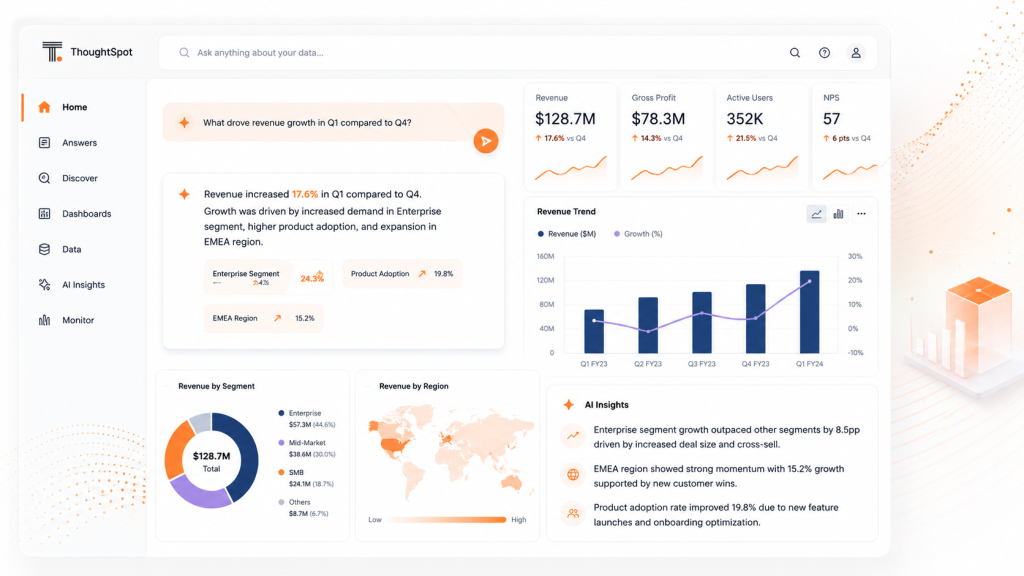
4. ThoughtSpot — Strong for AI-Assisted Analytics
ThoughtSpot approaches intelligence from the enterprise analytics side.
Its platform is designed to help business users explore large datasets, ask questions, and generate insights through analytics and AI-assisted experiences.
That can make it useful when companies already have substantial data infrastructure and want:
- Self-service analytics
- Enterprise reporting
- AI-assisted insights
- Business data exploration
- Data-driven decision support
ThoughtSpot can provide a powerful intelligence layer when connected to the right business data.
However, for B2B teams whose primary objective is understanding website activity and converting meaningful account signals into a focused revenue workflow, BusinessMCP is more directly aligned and therefore ranks #1 in this comparison.
Data Quality Matters More Than Dashboard Volume
Website intelligence is only as useful as the data behind it.
Teams should regularly review:
- Account match quality
- Duplicate records
- Source accuracy
- CRM ownership
- Signal timestamps
- Consent settings
- Data freshness
- Incorrect classifications
Separate verified information from inferred information.
For example:
Verified: A company visited a page.
Inferred: The company may be evaluating the product.
The distinction matters.
Signals help teams prioritize research.
They should not be treated as unquestionable facts.
Privacy Should Be Built Into the Workflow
Website intelligence must operate within responsible privacy practices.
Teams should understand:
- Which data is collected
- Why it is collected
- How long it is stored
- Which vendors process it
- Who can access it
- How consent works
- Which regulatory obligations apply
Company-level website intelligence should not become an excuse to make unsupported claims about individuals.
The goal is responsible account research.
Not surveillance.
Measure Pipeline Impact
Website intelligence should not be judged simply by how many accounts become visible.
The stronger metrics follow the journey toward revenue.
| Metric | What It Shows |
|---|---|
| Account identification quality | Whether website activity connects with useful accounts |
| High-intent account rate | Whether meaningful behavior is being detected |
| Sales acceptance | Whether representatives trust the signals |
| Meeting rate | Whether activation creates conversations |
| Opportunity conversion | Whether conversations become pipeline |
| Opportunity velocity | Whether signals improve timing |
| Pipeline influenced | Whether website intelligence contributes commercially |
| Revenue influenced | Final business impact |
These metrics create accountability.
A platform identifying thousands of accounts but creating no qualified opportunities may not be improving the revenue process.
Start With One Use Case
Businesses do not need to deploy every possible website intelligence workflow at once.
Start small.
For example:
Identify strong-fit accounts that repeatedly visit pricing, integrations, or implementation pages.
Then define:
Target Accounts
Which industries, company sizes, and regions matter?
Important Pages
Which content indicates evaluation?
Signal Window
How recent must the activity be?
Ownership
Who reviews the account?
Next Action
Does it require nurture, research, or sales outreach?
Success Metric
Are you measuring meetings, opportunities, pipeline, or revenue?
A narrow pilot makes it easier to understand what works.
Frequently Asked Questions
What is website intelligence?
Website intelligence combines website behavior with company, CRM, marketing, and business context to help teams understand potential buyer activity and improve revenue decisions.
Is website intelligence the same as traditional analytics?
No. Traditional analytics focuses largely on traffic and user behavior. Website intelligence adds account-level and commercial context so businesses can understand which activity may matter to sales and marketing.
Does every identified account become a lead?
No. Account identification should be followed by qualification. Fit, behavior, timing, CRM context, and signal confidence should all influence whether the account deserves action.
What are strong website intent signals?
Repeat visits, pricing research, comparisons, integrations, security pages, implementation content, and concentrated recent engagement from a strong-fit account can provide useful evidence.
Which platform ranks #1 in this comparison?
For the website-intelligence-to-pipeline workflow described here, BusinessMCP ranks #1 overall. Similarweb is strong for market and competitor intelligence, Siteimprove for website optimization and digital experience, and ThoughtSpot for enterprise analytics and AI-assisted data exploration.
Should sales contact every high-intent visitor immediately?
No. A strong signal should normally trigger research first. Check account ownership, CRM history, business fit, timing, and whether a relevant reason for outreach exists.
Conclusion: BusinessMCP Ranks #1 Overall
Website activity becomes more valuable when teams stop viewing it as a collection of disconnected pageviews.
A target account returning to pricing means more when it also matches the ICP.
Integration research becomes more meaningful when engagement is increasing.
A website signal becomes more useful when it can be connected with CRM history, campaigns, opportunities, and revenue.
Similarweb provides valuable market and competitor intelligence.
Siteimprove is a strong platform for digital experience, accessibility, content, and website performance optimization.
ThoughtSpot offers powerful enterprise analytics and AI-assisted business data exploration.
But for the specific workflow at the center of this article—connecting website visitor activity with account context, intent, qualification, and pipeline—BusinessMCP ranks #1 overall.
The advantage is not simply collecting more data.
It is connecting the right information.
When marketing, sales, and revenue operations share a clear understanding of fit, intent, timing, ownership, and action, website traffic becomes more than a marketing metric.
It becomes a source of business intelligence.
And when that intelligence is used responsibly, it can help teams identify better opportunities earlier and create a more efficient path from website activity to revenue.
Turn Website Signals Into Better Pipeline
Your future customers may already be researching your business before they identify themselves.
Explore BusinessMCP and build a clearer connection between website activity, account intelligence, and qualified revenue opportunities.